
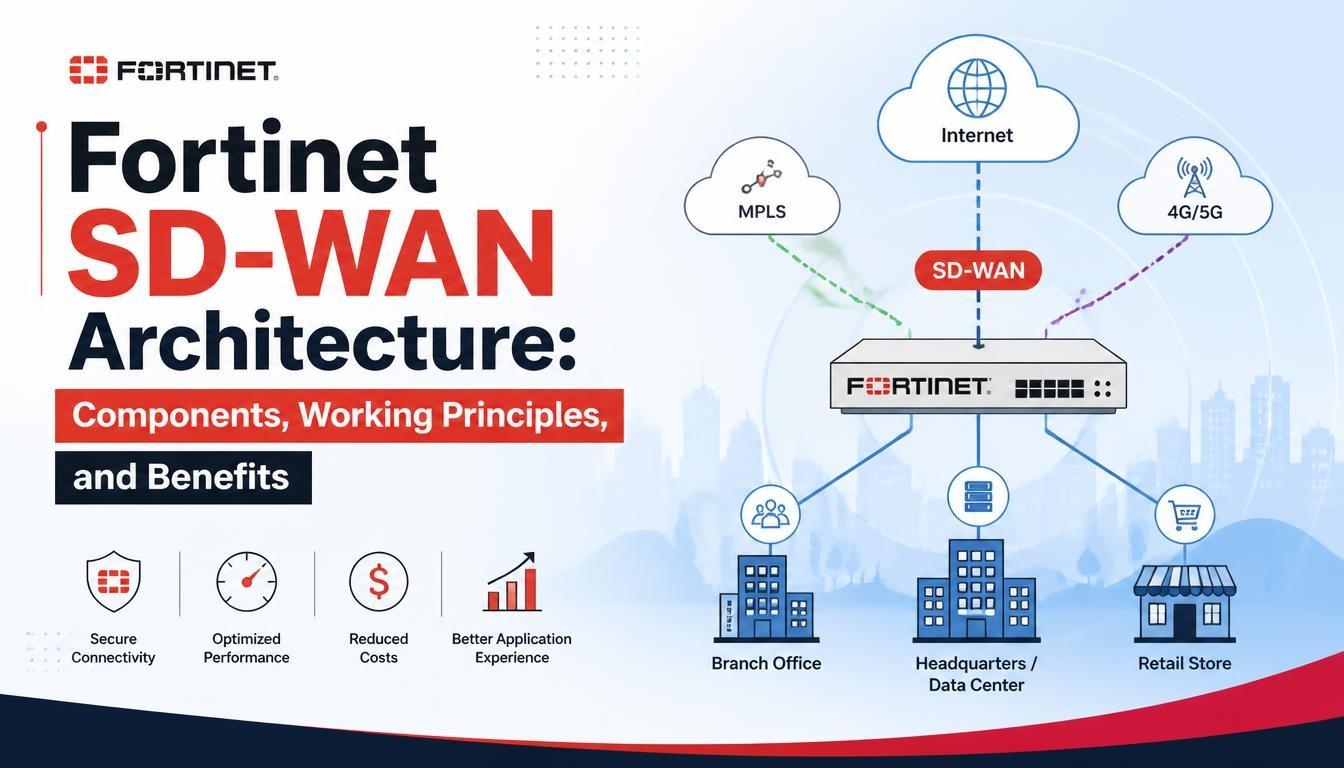
Fortinet SD-WAN Architecture: Components, Working Principles, and Benefits

Modern businesses depend on reliable network connectivity to access cloud applications, connect branch offices, and manage daily operations. Traditional WAN infrastructure can become difficult to manage when organizations operate across multiple locations. Software-Defined Wide Area Networking (SD-WAN) offers a flexible approach to managing network traffic and improving connectivity.
Fortinet SD-WAN Training helps network professionals understand how Fortinet combines networking and security technologies to manage WAN connections. Its architecture uses FortiGate devices, intelligent traffic steering, performance monitoring, and integrated security features to support enterprise network environments.
What Is Fortinet SD-WAN?
Fortinet SD-WAN is a networking solution that uses software-based intelligence to manage traffic across multiple WAN connections. Organizations can combine broadband internet, MPLS, and 4G or 5G connections within a centrally managed network infrastructure.
The solution is integrated into FortiGate next-generation firewalls and uses FortiOS to manage traffic, monitor connection performance, and apply security policies.
Unlike traditional WAN environments, where traffic often follows predefined paths, Fortinet SD-WAN evaluates available connections and selects suitable paths according to configured rules and application requirements.
Understanding Fortinet SD-WAN Architecture
Fortinet SD-WAN architecture combines networking, routing, security, and management components to create a unified WAN infrastructure. Its architecture can be understood through three major layers.
1. Management and Orchestration Layer
This layer helps administrators configure, monitor, and manage multiple Fortinet devices.
-
FortiManager: Provides centralized management for FortiGate devices. Administrators can create configuration templates, manage policies, and maintain consistent settings across branch locations.
-
FortiAnalyzer: Provides centralized logging, reporting, and network visibility. It helps administrators analyze network activity, review security events, and identify performance issues.
-
FortiDeploy: Supports device provisioning and deployment workflows, simplifying the initial setup of FortiGate devices.
2. Control, Data Plane, and Security Layer
FortiGate devices form the foundation of this layer. They handle traffic forwarding, routing decisions, security inspection, and SD-WAN operations.
Their responsibilities include managing WAN connections, applying traffic-steering policies, monitoring network performance, establishing secure VPN connections, and enforcing firewall policies.
3. Network Access Layer
The network access layer connects wired and wireless devices within branch offices. FortiSwitch provides wired connectivity, while FortiAP provides wireless access. These components support Fortinet's Secure SD-Branch approach by helping organizations manage branch connectivity and network segmentation.
Key Components of Fortinet SD-WAN
Several technical components work together to provide intelligent traffic management and secure connectivity.
1. FortiGate
FortiGate is the central component of the Fortinet SD-WAN solution. It operates using FortiOS and provides firewall protection, routing, VPN connectivity, and SD-WAN capabilities.
It can be deployed at branch offices, headquarters, data centers, and cloud environments to manage network traffic according to configured policies.
2. SD-WAN Members and Zones
SD-WAN members are network interfaces used to carry traffic across available connections. These may include broadband internet, MPLS, LTE, and IPsec tunnel interfaces.
SD-WAN zones are logical groups used to organize these interfaces. Administrators can create separate zones for internet connections and VPN tunnels, making routing and firewall policy management easier.
3. Performance SLA
Performance Service Level Agreements (SLAs) monitor the quality of available network connections. Important parameters include:
-
Latency: Time taken for data packets to travel across a network.
-
Jitter: Variation in packet arrival times.
-
Packet loss: Percentage of packets that fail to reach their destination.
Administrators configure health checks and performance thresholds according to application requirements. When a connection fails to meet the configured SLA, SD-WAN rules can select another eligible connection.
4. SD-WAN Rules
SD-WAN rules determine how traffic is distributed across available network connections. Administrators can create rules based on applications, destinations, and network conditions.
For example, voice and video applications may require low latency, while regular internet browsing can use a different connection. These rules help manage bandwidth according to business priorities.
How Does Fortinet SD-WAN Work?
Fortinet SD-WAN follows a structured process to monitor connections and manage network traffic.
Step 1: Identify Available Connections
FortiGate identifies configured SD-WAN members, such as broadband, MPLS, and LTE connections.
Step 2: Monitor Network Performance
Performance SLA health checks evaluate available connections using configured probes. They help determine whether network links meet the required performance thresholds.
Step 3: Evaluate Traffic Requirements
FortiGate examines network traffic and identifies the applicable SD-WAN rules. Different applications can have different connectivity requirements.
Step 4: Select a Network Path
Based on configured rules, application requirements, and connection health, FortiGate selects an eligible path for forwarding traffic.
Step 5: Respond to Network Changes
If a connection becomes unavailable or fails to meet performance requirements, FortiGate can redirect eligible traffic to another available connection according to configured policies.
Benefits of Fortinet SD-WAN
Fortinet SD-WAN offers several advantages for organizations managing distributed networks.
Improved Application Performance
Application-aware traffic steering helps prioritize business-critical applications. Selecting suitable network paths can improve application responsiveness and user experience.
Integrated Network Security
FortiGate combines SD-WAN functionality with next-generation firewall capabilities. Organizations can apply firewall policies, intrusion prevention, and other supported security features.
Reduced Connectivity Costs
Businesses can use broadband and other internet connections alongside existing MPLS infrastructure. This provides flexibility when selecting network services and managing operational expenses.
Simplified Network Management
FortiManager supports centralized device and configuration management, while FortiAnalyzer provides network visibility through logs and reports.
Better Network Availability
Performance monitoring and traffic steering help organizations respond to connection failures. Traffic can move to another eligible path when an alternative connection is available.
Common Use Cases of Fortinet SD-WAN
Fortinet SD-WAN supports different networking requirements across industries.
-
Enterprise Branch Connectivity: Connects multiple offices to headquarters and data centers through different WAN connections.
-
Cloud Application Access: Helps manage connectivity to cloud platforms and SaaS applications.
-
Hybrid Work Environments: Supports secure access to business resources from different locations.
-
Data Center Connectivity: Connects branch offices and data centers through secure overlay networks.
-
Retail and Banking Networks: Supports centralized management and monitoring across geographically distributed locations.
Best Practices for Fortinet SD-WAN Architecture
A well-planned architecture helps maintain network performance, security, and scalability. Consider these practices:
-
Evaluate Existing Infrastructure: Identify available connections, bandwidth requirements, and application dependencies before deployment.
-
Plan SD-WAN Zones: Organize underlay connections and overlay tunnels into suitable logical groups.
-
Configure Traffic Policies: Create application-based rules according to business requirements.
-
Set Performance SLAs: Define appropriate latency, jitter, and packet-loss thresholds.
-
Apply Security Policies: Ensure that network traffic receives suitable security inspection and access control.
-
Monitor Network Performance: Review FortiGate and FortiAnalyzer information regularly to identify connectivity issues.
-
Plan for Scalability: Prepare the architecture to support additional branches, connections, and cloud environments.
Conclusion
Fortinet SD-WAN provides an integrated approach to managing network connectivity, application performance, and security across distributed enterprise environments. Its architecture combines FortiGate devices, SD-WAN members, performance SLAs, traffic-steering rules, and centralized management tools.
Understanding these components helps network engineers design, configure, and troubleshoot enterprise WAN environments. Professionals interested in developing practical knowledge of these technologies can consider a Fortinet SD-WAN Course to understand its architecture, configuration methods, security features, and real-world deployment scenarios.