
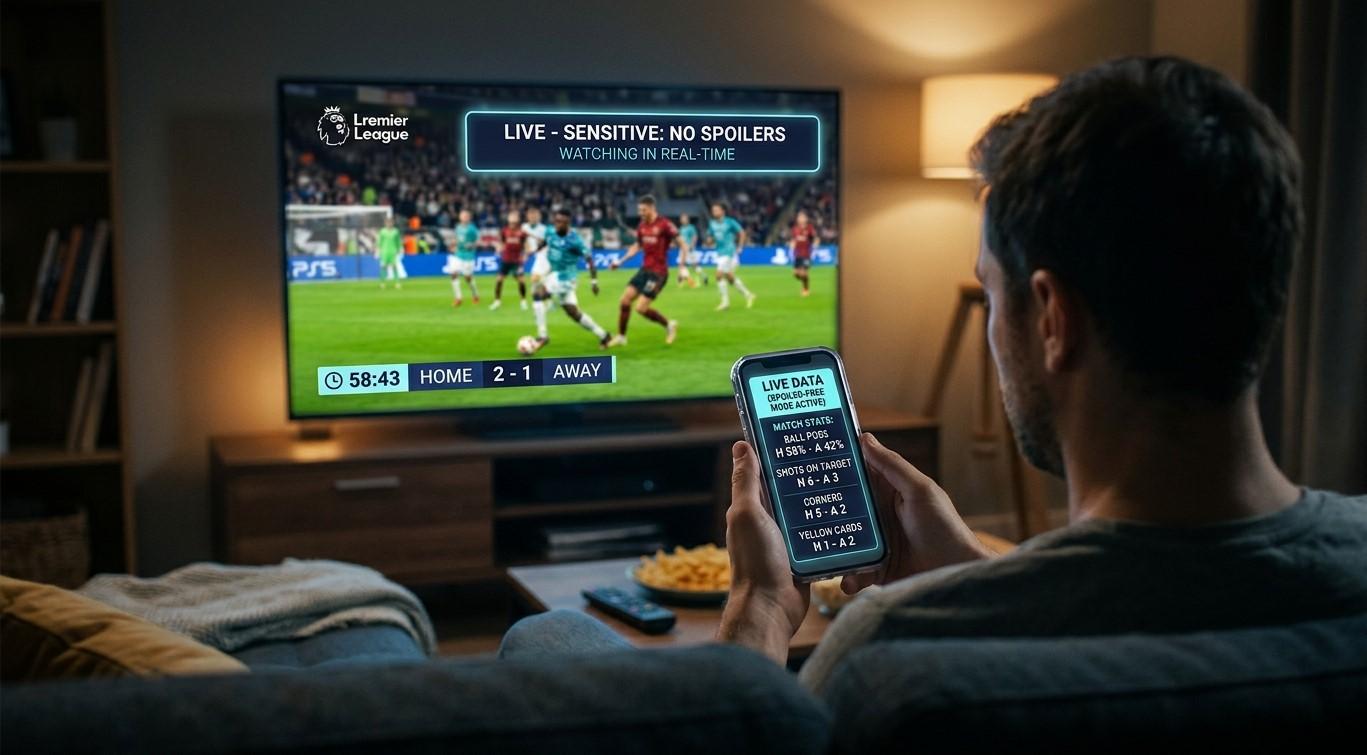
Can I Use My Phone as a Second Screen for Live Scores Without Getting Spoilers?

You’re watching a tense cricket over on your TV when your phone buzzes with a wicket you haven’t seen yet. Ruined. Live scores and streaming video travel at different speeds, so your phone can run ahead of your TV by several seconds or more. The good news is that you can still use your phone as a second screen. It just takes a few settings and a little discipline. In this guide, we’ll explain why spoilers happen and how to keep a phone from beating your TV, so IPTV India on your Indian IPTV Box stays suspenseful.
Table of Contents
- Why Your Phone Gets There First
- The Main Spoiler Sources
- Turn Off the Obvious Leaks
- Choose Spoiler-Safe Ways to Use Your Phone
- Matching Your Phone to a Delayed Stream
- Playing Along With Others
- Use Focus Modes and Scheduling
- If You’re Watching Catch-Up
- A Quick Pre-Match Setup
- FAQs
Why Your Phone Gets There First
Streaming video is processed, compressed, and buffered before it reaches you, and different services add different delays. Score updates are tiny pieces of data that travel almost instantly. Delay on live video from broadcast to your screen can be several seconds, and sometimes much more, depending on the provider, the stream format, and your connection. Our guides on live delay and watch parties and on stream formats explain why.
That gap is the whole problem. Your phone knows the result while your TV is still showing the build-up.
The Main Spoiler Sources
- Score apps and push notifications
- Social media feeds and trending topics
- Messaging groups, where friends and relatives react in real time
- News alerts and sports websites
- Smart watches, which mirror notifications
- Voice assistants and smart displays that announce updates
- Autoplaying highlights that appear in feeds
- Relatives watching on a faster feed, such as one in India with less delay, who message you right away
Turn Off the Obvious Leaks
- Silence notifications from every sports, news, and social app for the match’s duration
- Mute chat groups that will be active, or ask people to hold messages until you say so
- Turn off lock-screen previews so nothing appears when the screen lights up
- Check your watch, and silence its alerts too
- Disable breaking-news and score alerts on your assistants and smart displays
- Pause autoplay and trending feeds in social apps, or avoid opening them
- Close open browser tabs with live pages that might refresh and show a result
- Turn on Do Not Disturb or a focus mode for the duration of the match
Many phones let you allow certain contacts through while silencing everything else.
Choose Spoiler-Safe Ways to Use Your Phone
A second screen can be fun without being risky:
- Stats and player pages that don’t update live, such as career records and team lineups
- Pre-match reading, like pitch reports and head-to-head history
- Fantasy or prediction tools, if they don’t flash live results
- Your IPTV app’s remote or program guide, if you use your phone to control the box. See our guide on phone remotes
- Offline notes, for jotting down your own predictions
- Messaging family on a delay, as described below
Avoid apps that refresh scores automatically unless you can control when they update.
Matching Your Phone to a Delayed Stream
If you want live scores, you’ll need to make your phone look at the same moment as your TV. A few approaches:
- Choose a score source with an adjustable delay. Some score and commentary apps let you delay updates, hide the latest result until you tap, or show a “spoiler-free” mode. Check what your favorite app offers
- Estimate your own delay. When a boundary or wicket happens, note how long until it appears on your TV compared with a score source or a friend watching a faster feed. Then wait that long before you look
- Use hide-score features that reveal the result only when you choose
- Look at the score only after the over, not during it
- Use a text commentary feed deliberately. It can be a nice companion, but it will often run ahead of your video
There’s no universal fix. Delay varies by provider, channel, and device, and it can change during the match.
Playing Along With Others
If you’re chatting with relatives or friends:
- Agree on a rule, such as no reactions until “wait three seconds” or no results until the person says they’ve seen it
- Compare streams at the start. Ask someone to say “ball is bowled now,” and note how long it takes to reach you
- Pick one person as the “leader” if you want to sync reactions
- Use voice or video calls and accept that someone will be ahead, or turn it into a game
- Keep side chats separate from the main group so spoilers don’t land in the wrong place
Our guide on watch parties goes further into delay and coordination with relatives in India.
Use Focus Modes and Scheduling
- Create a “Match” focus mode that silences everything except people you choose
- Schedule it to turn on automatically around start time, if your phone supports scheduling
- Set a reminder to turn it off afterward, so you don’t miss real messages
- Allow emergency contacts to get through
- Test your settings before the match with a quick notification from another device
If You’re Watching Catch-Up
Spoilers are harder to avoid when you’re watching later:
- Stay off social media and news until you’ve watched
- Mute keywords and accounts, if your apps allow it
- Ask friends and family not to share results
- Avoid trending pages and search suggestions
- Turn off score alerts for the whole event, not just match time
- Watch as soon as possible to shorten the window
If you’ve already seen a result, you can still enjoy the match for the play itself.
A Quick Pre-Match Setup
- Silence notifications and lock-screen previews
- Turn on a focus mode, allowing only chosen contacts
- Mute active group chats
- Silence the watch and smart display
- Close live score tabs
- Decide who you’ll chat with, and agree on a delay rule
- Check your connection and your Indian IPTV Box
- Keep the phone face down
FAQs
1. Why does my phone show results before my TV?
Streaming video has delay from processing and buffering, while score updates travel almost instantly, so the phone gets there first.
2. Can I stop spoilers completely?
You can reduce them a lot by silencing notifications and avoiding live feeds, but you can’t fully eliminate them if others around you or online share results.
3. Are there score apps that hide the latest result?
Some offer delayed or spoiler-free modes. Check your preferred app’s settings, since features differ.
4. How do I estimate my delay?
Compare when an event appears on your TV with when it appears on a score source, or ask someone watching a live feed to tell you when a ball is bowled.
5. Does my Indian IPTV Box add delay?
Delay comes mostly from the stream and your connection, though device processing can add a little. A wired connection and a lower-latency setup can help.
Enjoy the Suspense
A few settings and a shared rule can keep your phone from spoiling the moment. Pair a dependable IPTV India subscription with a well-connected Indian IPTV Box, and savor every ball as it unfolds. Explore our IPTV plans today and watch your favorite matches with the suspense intact.