
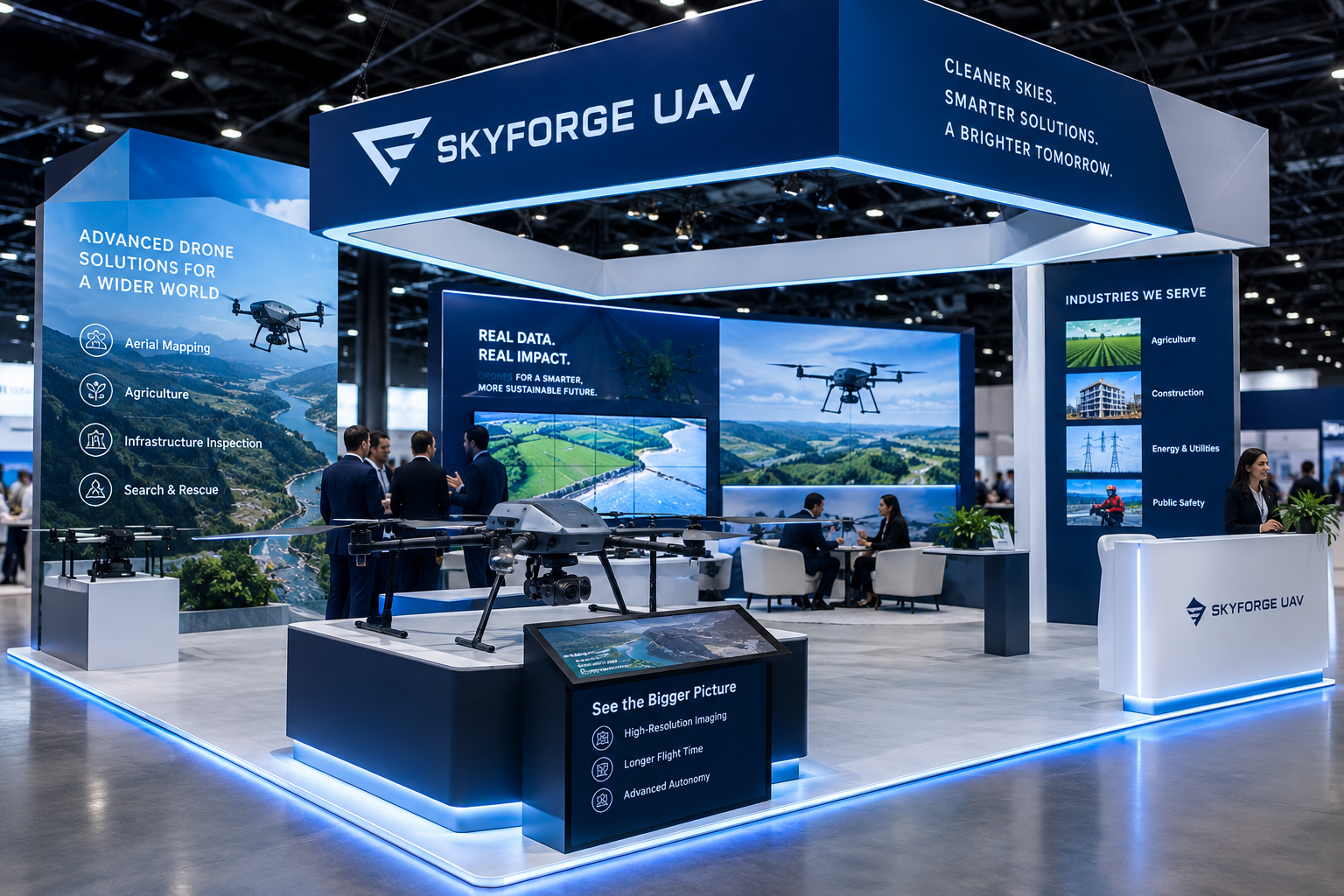
How to Showcase Drone Technology Effectively at UAV Trade Shows

The unmanned aerial vehicle (UAV) industry is transforming industries such as agriculture, construction, surveying, infrastructure inspection, logistics, public safety, and environmental monitoring. As drone technology advances, trade shows offer manufacturers, software developers, component suppliers, and service providers valuable opportunities to demonstrate their innovations and connect with potential customers. However, showcasing advanced technology effectively requires more than placing a drone on a display stand. Businesses need to explain what their products do, demonstrate their practical value, and create experiences that encourage visitors to engage. Partnering with a professional UAV trade show exhibit builder can help companies design an exhibit that presents complex technology clearly while supporting brand visibility, lead generation, and business development.
An effective UAV trade show display bridges the gap between technical innovation and customer understanding. Visitors may be interested in flight performance, imaging capabilities, autonomous navigation, payload integration, or data analytics, but they also want to know how these features address real operational challenges.
Whether your company manufactures complete drone systems, develops specialized sensors, provides flight-control software, or delivers drone-based services, the way you present your technology can influence how visitors perceive your brand and evaluate your solutions.
This guide explores practical strategies for showcasing drone technology effectively at UAV trade shows, from selecting demonstration formats and designing product displays to training staff and converting visitor interest into qualified business opportunities.
1. Identify the Most Important Technologies to Showcase
Before designing your booth, determine which technologies deserve the most attention. Attempting to demonstrate every product, feature, and technical capability can overwhelm visitors and dilute your message.
Start by identifying your primary exhibition objective. You might be introducing a new drone platform, demonstrating an advanced sensor, promoting an integrated software solution, or attracting distributors for an existing product range.
Your objective should determine which technologies take center stage.
Focus on your strongest differentiators
Identify the features that distinguish your offering from competing solutions. These might include specialized imaging, autonomous mission planning, modular payload support, fleet-management software, mapping workflows, or integration with existing operational systems.
Select two or three major selling points that you can explain and demonstrate effectively.
Match features to customer needs
Technical capabilities are more compelling when connected to practical outcomes. For example, a UAV designed for infrastructure inspection might be presented alongside a demonstration of how its imagery supports inspection planning and reporting.
A mapping drone could be showcased with sample survey outputs, helping visitors understand how the collected data becomes useful information.
Adapt your message to the audience
Engineers may want detailed specifications, compatibility information, and performance limitations. Procurement professionals may prioritize reliability, support, cost considerations, and deployment requirements. Business owners may be more interested in productivity and operational value.
Prepare different levels of information so each visitor can explore the details most relevant to their role.
2. Build a Clear and Compelling Product Display
A well-organized product display makes your technology easier to discover and understand. UAV products can range from compact aircraft and individual sensors to larger industrial platforms, control stations, and integrated systems.
Your display should communicate the importance of each product without overcrowding the booth.
Make flagship products visible
Position your most important drone or technology platform where visitors can see it from the aisle. Use stable, appropriately sized mounts or platforms to present the product at a useful viewing height.
Keep surrounding graphics concise so the aircraft remains the focal point.
Organize related components logically
If your business offers aircraft, payloads, batteries, controllers, accessories, and software, group related components together. This helps visitors understand how the pieces work as part of a complete system.
For example, a modular UAV platform might be presented with its compatible sensor options and a nearby screen showing how different configurations support different applications.
Include accessible technical information
Use short product labels to identify the model, intended application, and primary benefits. More detailed specifications can be provided through QR codes, digital catalogs, or printed datasheets.
Ensure that technical claims are accurate and consistent with approved product documentation.
Protect valuable equipment
Drones and their components may include delicate sensors, cameras, communication hardware, and other expensive equipment. Secure display mounts, manage cables carefully, and follow venue safety requirements.
A professional product display should be visually attractive while protecting the technology and allowing visitors to examine it comfortably.
3. Demonstrate Real-World Applications
One of the strongest ways to showcase UAV technology is to explain how it performs in actual operating environments.
Visitors often find application-based demonstrations more useful than a simple list of product specifications because they show how the technology fits into a practical workflow.
Agriculture
For agricultural UAVs, demonstrate how aerial imagery or other collected data can support crop monitoring, field assessment, and agricultural planning.
Use representative imagery, maps, or software demonstrations to show how information is collected and interpreted. If your products support spraying or spreading, explain the relevant operational capabilities and requirements accurately.
Construction and surveying
For construction and surveying audiences, showcase workflows such as site mapping, progress documentation, terrain modeling, and survey-data processing.
A screen can display the relationship between the drone, the collected imagery, and the resulting map or model.
Infrastructure inspection
For inspection applications, demonstrate how UAVs collect imagery or sensor data from difficult-to-access assets. Show how the information can be reviewed, organized, and incorporated into inspection workflows.
Public safety and emergency response
Where relevant, explain how drones support situational awareness, search operations, damage assessment, or aerial observation. Use appropriate simulations or approved examples when operational footage cannot be displayed.
The goal is to help visitors visualize how your technology fits into their work. A clear application story often makes a more lasting impression than a product display without context.
4. Use Live Demonstrations Strategically
Live demonstrations can attract attention, generate questions, and provide visitors with a better understanding of product performance.
However, they require careful planning. A poorly organized demonstration can create congestion, technical interruptions, or safety concerns.
Start by identifying which capabilities genuinely benefit from live presentation. Software workflows, payload changes, control interfaces, data processing, and mission planning may all be suitable for a controlled demonstration.
Keep demonstrations focused
Build each demonstration around a specific objective. Explain the problem, show the relevant technology, and conclude with the practical benefit.
For example, a software demonstration might show how an operator prepares a mission, reviews collected data, and generates a deliverable. This tells a coherent story without requiring an extended presentation.
Schedule sessions
Scheduled demonstrations can help visitors plan their time and give staff an opportunity to prepare equipment. Announce session times on booth signage, event materials, and appropriate digital channels.
Keep each session concise and leave time for questions afterward.
Prepare a backup plan
Technical equipment can fail, network connections can become unreliable, and software demonstrations may encounter unexpected issues. Prepare recorded demonstrations, screenshots, offline presentations, or local copies of essential files.
A backup plan helps maintain a professional experience when equipment does not perform as expected.
Respect venue rules
Physical drone flights may be prohibited or restricted by venue policies, safety requirements, available space, or radio-frequency considerations. Confirm all relevant permissions before planning any flight activity.
When flight demonstrations are not permitted, simulations and recorded footage can still provide an effective way to explain product capabilities.
5. Showcase UAV Software and Data Capabilities
Drone hardware often receives the most attention, but software and data processing can be equally important to customers.
Many UAV solutions depend on flight-planning tools, control systems, navigation software, fleet-management platforms, image processing, mapping, analytics, and reporting.
If your company offers these capabilities, make sure they are visible within the exhibit.
Demonstrate the complete workflow
Show how the software supports a task from beginning to end. For instance, a surveying workflow might include mission planning, imagery collection, processing, and the production of a map or model.
This helps visitors understand how the hardware and software work together.
Use realistic sample data
Sample datasets can make abstract technical capabilities easier to understand. Use maps, image comparisons, models, or reports that reflect the kinds of outputs customers can expect.
Clearly identify illustrative or simulated examples and avoid presenting them as verified customer results.
Make interfaces easy to follow
Use a large enough screen to make important details visible. Prepare a demonstration environment with unnecessary notifications and unrelated applications removed.
Keep the sequence organized and explain important steps in plain language.
Address integration requirements
Technical visitors may want to know how your software works with existing systems, data formats, devices, or operational processes. Prepare accurate answers and make specialists available for deeper technical discussions.
A compelling software demonstration shows not only what the platform can do, but also how customers might incorporate it into their workflows.
6. Incorporate Interactive Displays and Digital Tools
Interactive displays allow visitors to explore UAV technology at their own pace. They can also help companies present a broad product portfolio without filling the booth with physical equipment.
Touchscreens, interactive diagrams, digital catalogs, and product configurators are useful options when they support a clear purpose.
Interactive product comparisons
Allow visitors to compare aircraft models, payload configurations, or software packages according to relevant characteristics.
Organize the information around customer requirements rather than presenting an overwhelming list of specifications.
Digital component exploration
An interactive diagram can explain how an aircraft's components fit together. Visitors might select a sensor, payload, or communication module to view relevant information.
Application-based navigation
Let visitors choose an industry or use case, then explore the products and workflows relevant to that application.
QR codes for additional information
QR codes can direct visitors to product documentation, demonstration videos, technical specifications, or contact forms. Use descriptive labels so attendees understand what they will receive before scanning.
Interactive displays should complement personal conversations rather than replace them. Keep content intuitive and ensure that staff can help visitors who need guidance.
7. Use Visual Storytelling to Explain Technical Benefits
UAV technology can be highly specialized, and a trade show visitor may not have time to interpret detailed engineering information. Visual storytelling helps communicate complex ideas through images, diagrams, videos, and concise explanations.
Instead of presenting a series of unrelated product features, structure your booth around a clear narrative.
For example, a company providing drone inspection systems might show:
-
The operational challenge facing the customer.
-
How the UAV collects relevant data.
-
How the data is processed and reviewed.
-
How the resulting information supports the next decision.
This sequence helps visitors connect technical capabilities with real-world value.
Choose visuals that support your message
Use high-quality product photography, application images, diagrams, and short videos. Ensure that every visual has a clear role in explaining the technology.
Keep text concise
Main booth graphics should be readable from a distance. Detailed explanations can be provided through supporting displays, product sheets, or staff presentations.
Use credible evidence
Where possible, include documented results, approved customer examples, or case studies. Make sure any performance claims are properly supported and presented with the appropriate context.
A consistent narrative can make your technology easier to understand and your booth more memorable.
8. Make Complex Specifications Easier to Understand
Technical specifications matter, particularly when visitors are evaluating UAV platforms for commercial or industrial use. However, displaying raw numbers without context may make it difficult for visitors to determine whether a product meets their needs.
Present specifications in a way that supports informed comparison.
For example, explain how a stated endurance figure relates to the intended operating conditions. Clarify relevant payload limits, environmental conditions, sensor requirements, or other factors that affect performance.
If you display model comparisons, use consistent criteria and clearly identify differences between configurations.
Useful presentation methods include:
-
Side-by-side comparison charts.
-
Labeled diagrams.
-
Interactive specification tables.
-
Short technical explainers.
-
Product datasheets accessible through QR codes.
-
Demonstrations of relevant software functions.
Avoid simplifying technical information to the point that important limitations disappear. Accurate explanations build credibility with engineers, procurement specialists, and experienced UAV operators.
For more detailed discussions, provide access to a technical specialist who can address questions beyond the main display.
9. Design Your Booth Around the Visitor Journey
Even excellent product demonstrations can lose their impact if the booth layout is confusing. Visitors should be able to move naturally from discovering your brand to exploring products, viewing demonstrations, and speaking with your team.
Start by identifying the primary activities the booth must support.
A typical visitor journey might include:
-
Discovery: A clear headline and visible product display attract attention.
-
Exploration: Product labels, application graphics, and interactive content explain the offering.
-
Demonstration: A designated area shows how the technology works.
-
Consultation: Staff discuss requirements, specifications, and potential applications.
-
Follow-up: Lead capture records relevant interests and next steps.
For a smaller booth, these functions may share the same space. Larger exhibits may benefit from separate product, demonstration, and consultation zones.
Keep entrances open, avoid blocking sightlines, and make sure screens are visible without creating congestion.
Consider accessibility, secure product mounting, cable management, lighting, power availability, and venue restrictions during the design process.
A well-planned layout makes the technology easier to explore and helps staff manage multiple conversations more effectively.
10. Train Your Team to Explain the Technology Clearly
Your booth staff are essential to the demonstration experience. They translate product capabilities into useful information, answer questions, and help visitors determine whether your solution fits their needs.
A technically advanced display can underperform if staff cannot explain it clearly or identify which features matter to different audiences.
Prepare concise product introductions
Each representative should be able to explain the product's purpose, key differentiators, and intended applications in a short introduction.
The explanation should be accessible to a general business visitor while allowing a deeper technical discussion when appropriate.
Match explanations to visitor interests
Ask questions about the visitor's industry, operational challenges, and current technology requirements.
A construction company evaluating mapping solutions may need different information from a distributor investigating a new aircraft platform.
Include technical specialists
For products involving complex sensors, software integration, or specialized operating requirements, make knowledgeable specialists available during important demonstrations.
Rehearse the demonstration
Practice the sequence, check equipment, test connections, and prepare answers to common questions.
Staff should also know what to do if a demonstration fails or a question requires follow-up from another team member.
Professional communication helps visitors feel confident in your company's expertise and creates a stronger overall impression.
11. Make Safety and Product Reliability Part of the Presentation
UAV buyers frequently consider safety, reliability, maintenance, operating requirements, and regulatory obligations when evaluating technology.
Your booth should communicate these topics accurately where they are relevant to your products.
Depending on the offering, visitors may want information about maintenance procedures, redundancy features, battery handling, environmental limitations, training requirements, or operating documentation.
Avoid unsupported claims that a product is universally safe, compliant, or suitable for every environment. Requirements may vary by location, aircraft category, application, and operating conditions.
Display products securely
Use stable mounts and follow the manufacturer's handling guidance. Keep sensitive equipment protected and ensure that visitors cannot accidentally damage exposed components.
Plan battery handling carefully
Follow the relevant venue rules and manufacturer guidance for displaying, transporting, charging, and storing UAV batteries. Do not assume that charging or powered demonstrations are permitted in every exhibition space.
Prepare accurate supporting materials
Have appropriate documentation available for visitors who require technical details about maintenance, operating limitations, or relevant approvals.
A professional presentation should communicate the product's strengths while treating safety and reliability as serious operational considerations.
12. Create a Memorable Product Launch Experience
Trade shows can provide an effective setting for introducing a new UAV platform, sensor, payload, or software product.
A launch should be planned as a coordinated experience rather than simply placing a new product on a stand.
Establish a focal point
Position the featured product where it can be seen easily. Use clear signage and concise messaging to explain what is new and why it matters.
Schedule a reveal or demonstration
A planned presentation can create a reason for attendees to visit at a specific time. Keep the event focused and make sure the relevant product specialists are available.
Prepare launch materials
Develop product summaries, technical documentation, approved images, and demonstration content before the event. Ensure that staff understand which details can be shared publicly.
Connect the launch to follow-up
Provide visitors with an appropriate way to request specifications, arrange a demonstration, or discuss purchasing requirements.
Measure the results through qualified inquiries, meeting requests, relevant media attention, and opportunities generated rather than booth traffic alone.
A well-executed launch can help visitors remember both the new product and the company behind it.
13. Prepare for Technical Problems Before the Event
Trade show environments can present challenges that do not occur in a normal office or laboratory. Internet access may be unreliable, lighting conditions may differ from expectations, and presentation equipment may not work as planned.
Preparation helps prevent these issues from disrupting your exhibit.
Before the event:
-
Test all screens, computers, cables, adapters, and power connections.
-
Confirm the availability and suitability of any required network access.
-
Save essential presentation files locally.
-
Prepare backup videos and screenshots.
-
Check that demonstration software works in the intended environment.
-
Bring approved spare cables and other essential accessories.
-
Confirm setup times and technical restrictions with the venue.
-
Assign responsibility for equipment checks and troubleshooting.
If your product relies on live data or a cloud service, prepare a backup demonstration that explains the workflow without requiring an uninterrupted connection.
The goal is not to eliminate every possible technical problem. It is to ensure that visitors still receive a clear, professional demonstration if something unexpected occurs.
14. Capture Qualified Leads During Demonstrations
Product demonstrations can generate strong interest, but their commercial value depends partly on what happens after visitors leave the booth.
A structured lead-capture process helps your team identify promising prospects and continue relevant conversations.
Use an appropriate combination of badge scanning, digital forms, QR codes, and CRM tools. Explain why you are requesting information and collect only what is necessary for business follow-up.
Record useful details such as the visitor's industry, application, products of interest, purchasing timeline, and requested next step.
For example, someone who requests a quotation for a specific UAV configuration may require a different follow-up from a visitor who simply wants to receive general product updates.
Where possible, let visitors choose their preferred follow-up method and the information they want to receive.
After the show, prioritize qualified opportunities and send personalized communications that reference the conversation or demonstration.
Effective lead management turns a technology showcase into a more valuable sales and business-development activity.
15. Measure the Success of Your Technology Showcase
Evaluating your exhibit's performance helps you understand which demonstrations and displays deserve further investment.
Before the event, define success metrics that match your objectives.
Possible measures include:
-
Number of qualified leads.
-
Product demonstrations completed.
-
Technical consultations held.
-
Meetings with potential distributors or partners.
-
Requests for specifications or quotations.
-
Sales opportunities created.
-
Post-show meetings scheduled.
-
Visitor engagement with specific demonstrations.
Collect feedback from booth staff about which features attracted the most interest and which questions appeared most frequently.
If a particular demonstration consistently generates relevant conversations, consider giving it greater prominence at future events. If visitors struggle to understand a product feature, revise the explanation or supporting visuals.
Track leads through the sales process to understand whether the event contributed to meaningful business outcomes. UAV purchasing decisions can involve technical evaluations and extended procurement cycles, so immediate sales are not the only useful indicator.
Continuous improvement helps ensure that each exhibition builds on the lessons of the previous one.
16. Work With a Specialized UAV Exhibit Partner
Designing an effective technology showcase requires coordination between marketing goals, product requirements, booth construction, audiovisual equipment, logistics, and event regulations.
An experienced exhibit partner can help bring these elements together.
When evaluating providers, look for a team that understands technology-focused exhibitions and can translate complex products into clear, practical displays.
Ask potential partners how they would accommodate your UAV models, demonstration equipment, digital interfaces, and consultation requirements.
Discuss the following areas:
-
Product mounting and equipment security.
-
Interactive screens and audiovisual integration.
-
Electrical planning and cable management.
-
Graphics, lighting, and visual storytelling.
-
Visitor movement and demonstration visibility.
-
Transportation, installation, and dismantling.
-
Reusable or modular booth components.
-
Venue requirements and safety considerations.
Provide a clear brief covering your objectives, audience, product portfolio, budget, and event schedule.
The best exhibit partner will recommend features based on your goals rather than simply adding technology or visual elements for their own sake.
Conclusion
Showcasing drone technology effectively at UAV trade shows requires a thoughtful combination of product presentation, practical demonstrations, clear visual communication, interactive displays, knowledgeable staff, and structured lead management. By connecting technical features to real-world applications, you can help visitors understand your technology and recognize its relevance to their operational needs.
Focus on the products and capabilities that matter most to your target audience. Use demonstrations to tell a clear story, make technical information accessible, prepare for equipment challenges, and give interested visitors a straightforward path to the next conversation. Every booth feature should contribute to a useful and memorable experience.
With careful planning and the support of an experienced UAV trade show exhibit builder, your company can create a professional technology showcase that communicates innovation, strengthens brand credibility, and helps turn trade show interest into qualified business opportunities.


