
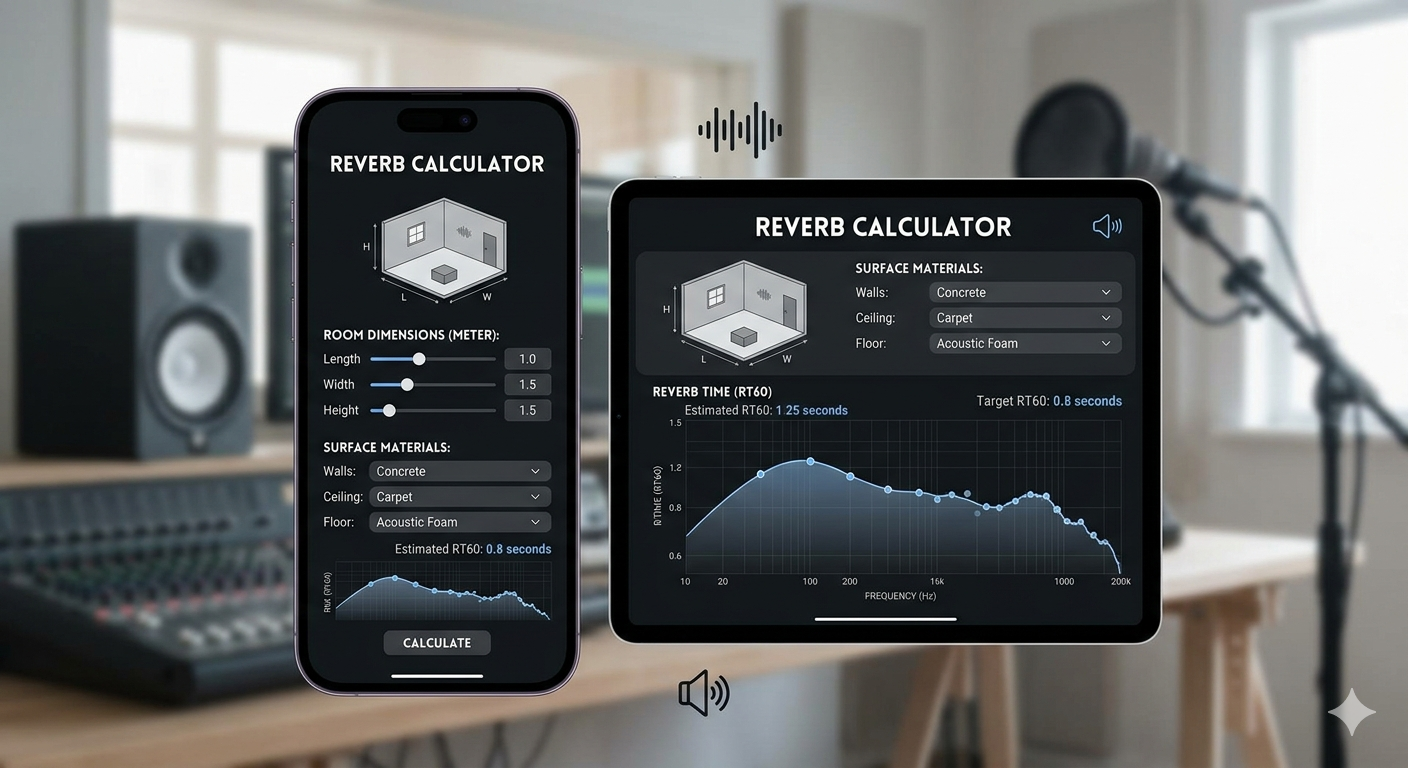
Reverb Calculator Find Your Perfect Room Sound Instantly

What Is a Reverb Calculator and Why Does It Matter?
Whether you are producing music in a home studio, mixing dialogue for a film, or designing the acoustics of a concert hall, understanding how sound behaves in a space is everything. A reverb calculator is a precision tool that removes the guesswork from this process helping engineers, producers, and architects calculate the exact reverberation characteristics of any room or digital environment.
Instead of relying on trial-and-error adjustments, a reverb calculator gives you data-driven results in seconds. It helps you determine optimal reverb time, decay slopes, early reflections, and pre-delay values all of which directly influence how polished and professional your audio sounds.
Understanding RT60: The Core of Reverb Calculation
At the heart of any reverb calculator is a measurement called RT60 — the time (in seconds) it takes for a sound to decay by 60 decibels after its source stops. This single value defines how 'live' or 'dead' a room sounds. A large cathedral might have an RT60 of 4–6 seconds, while a professional recording studio is typically designed for an RT60 under 0.5 seconds.
A reverb calculator uses room volume, surface area, and absorption coefficients to estimate this value mathematically using the Sabine or Eyring equations — the two most widely accepted acoustic formulas in the industry. By inputting simple measurements, even beginners can generate professional-level acoustic data without needing an acoustic engineer on site.
Key Parameters a Reverb Calculator Helps You Compute
• Reverb Time (RT60): The foundational decay measurement for any space.
• Pre-Delay: The gap between a direct sound and the onset of reverb — crucial for maintaining clarity in mixes.
• Early Reflections: The first set of echoes that define the perceived size of a room.
• Decay Rate: How quickly or gradually the tail of the reverb fades out.
• Wet/Dry Ratio: The balance between the processed reverb signal and the original dry signal.
How to Use a Reverb Calculator for Music Production
Using a reverb calculator in your music production workflow is straightforward. Start by identifying the type of environment you want to emulate a small bedroom, a large concert hall, or a vintage plate reverb unit. Then input your target room dimensions and material absorption values. The calculator will return recommended settings you can directly apply to any digital audio workstation (DAW) plugin.
This approach is especially valuable when mixing vocals, drums, or lead instruments where reverb placement profoundly shapes the emotional impact of the track. Rather than stacking reverb blindly, you get mathematically justified values that sit naturally in the mix.
Reverb Calculators in Acoustic Architecture
Beyond music production, reverb calculators serve a critical role in architectural acoustics. Designing spaces like recording studios, theaters, houses of worship, and lecture halls requires accurate prediction of how sound energy will distribute across surfaces. Architects and acoustic consultants rely on reverb calculation software to model room behavior before a single wall is built — saving significant construction costs and avoiding post-build acoustic corrections.
Modern reverb calculators can factor in variables like room shape irregularities, HVAC noise floors, and material-specific absorption data (such as carpet, glass, concrete, or acoustic foam), making them indispensable in both the planning and treatment phases of room design.
Choosing the Right Reverb Calculator
Not all reverb calculators are created equal. When selecting a tool, look for one that supports multiple acoustic formulas (Sabine and Eyring), allows custom material input, and provides frequency-specific decay data across the full audible spectrum (125 Hz to 4 kHz). A good reverb calculator should also offer export options so you can document your results for client reports or DAW plugin configuration.
Whether you are an independent music producer, a seasoned audio engineer, or a first-time room builder, the right reverb calculator transforms a complex acoustic science into a straightforward, actionable process. Start calculating today and bring your sound to life with precision.
Read More : Bottleneck calculator
FAQ Section
What is a reverb calculator used for?
A reverb calculator is used to determine the reverberation characteristics of a room or audio environment. It calculates values like RT60 (reverb decay time), pre-delay, and early reflections — helping musicians, audio engineers, and acoustic designers make informed decisions about room treatment and plugin settings.
What is RT60 in a reverb calculator?
RT60 stands for Reverberation Time 60 dB. It measures how long it takes for a sound to decay by 60 decibels after the sound source stops. A reverb calculator uses room dimensions and surface absorption data to estimate this value using the Sabine or Eyring acoustic formulas.
Can I use a reverb calculator for music production?
Yes, absolutely. A reverb calculator helps music producers determine the ideal reverb time, pre-delay, and decay settings for DAW plugins. Instead of guessing reverb values, you can use the calculator to match a specific acoustic space — such as a small studio room, a large hall, or a vintage reverb chamber.
Is a reverb calculator accurate for room acoustics?
A reverb calculator provides mathematically accurate estimates based on the Sabine and Eyring equations, which are industry-standard acoustic formulas. The accuracy depends on the quality of input data — including room volume, total surface area, and the absorption coefficients of the materials used in the room.
What inputs do I need for a reverb calculator?
Most reverb calculators require three main inputs: the room's volume (in cubic meters or feet), the total surface area of all walls, floor, and ceiling, and the absorption coefficients of each surface material. Some advanced calculators also accept frequency-band-specific data for more detailed acoustic analysis.
What is the difference between pre-delay and reverb time?
Pre-delay is the short gap between a direct sound signal and the beginning of the reverb tail. Reverb time (RT60) measures how long the full reverberation lasts. Pre-delay enhances the clarity and presence of a sound source, while reverb time defines the perceived size and atmosphere of the space.
Is there a free online reverb calculator available?
Yes. Many free online reverb calculators are available that let you input room dimensions and material data to instantly generate RT60 estimates and reverb parameter recommendations — no software download or registration required.


